Indhi IoT — Smart multi-sensor control & 1-tap room scenes
A low-latency iOS & Android hub bridging live IoT sensors with 1-tap household automation.
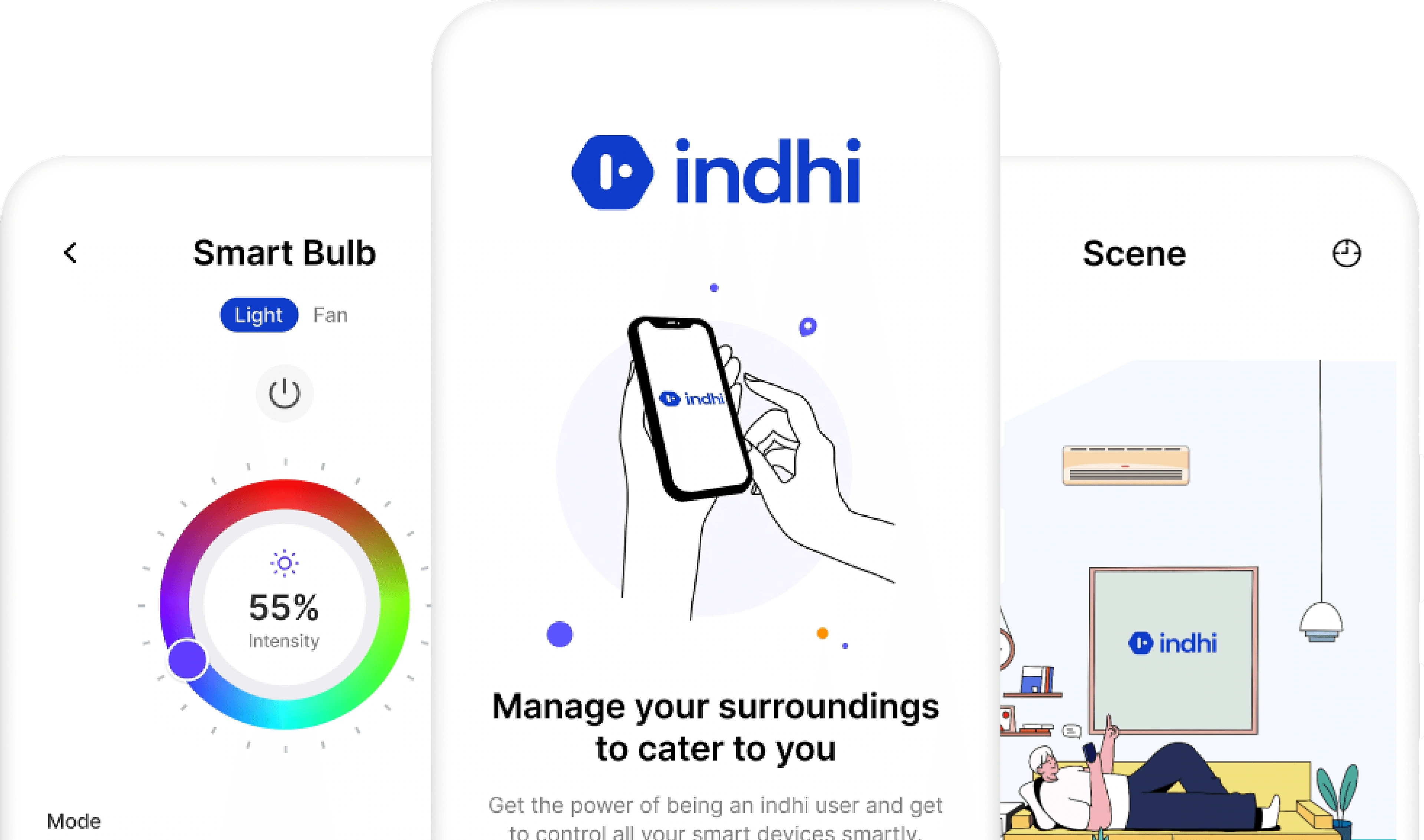
Turning 5 real-time IoT sensors into effortless, 1-tap smart home control.
Bridging temperature, humidity, motion, live kWh metering, and GPS into a calm two-tier Home & Room hierarchy.
UX research, spatial IA, 35+ iOS/Android screens, BLE/Wi-Fi radar pairing, IF/THEN automation, and a 7-board UI kit.
Project Scope
Indhi IoT bridges embedded hardware telemetry with a unified mobile experience focused on two core objectives:
- Intuitive Multi-Device Control & Monitoring: Design an intuitive mobile interface to control and monitor heterogeneous IoT devices—from smart RGB bulbs and ceiling fans to ACs, security cameras, and smart plugs.
- Real-Time Anomaly Alerts & Responsiveness: Focus on low-latency state responsiveness, accessibility, and real-time alert mechanisms for critical events, power surges, or motion anomalies.
5 embedded hardware telemetry streams integrated into the app:
Competitive Analysis
Staying Ahead in the IoT App Race: Hover or tap any ticket to flip and inspect user pain points.
Smarteefi legacyWi-Fi switches.
Smarteefi Smart Switch and Smart Power Strip is a Wi-Fi enabled replacement to conventional switches and Power Strip giving you convenience to control your lightings and home appliances anytime from anywhere.
Pain points on Smarteefi.
- 1Outdated UI designs, leading to frustration and difficulty in navigating and interacting with the IoT application. Users struggle to understand the functionality, find relevant information, or perform tasks efficiently.
- 2Slow network connections or high latency leading to delays in data transfer and app responsiveness.
Kamonk timersmart scenes.
You can set multiple timers to the switches. Schedule switch ON/OFF at different times and even plan specific duration control for various devices. Auto-regulate your switches when other devices turn ON/OFF and create smart scenes.
Pain points on Kamonk.
- 1Poor customer care support.
- 2Premium subscription is not working and shut downs automatically.
- 3Product working and closing same time.
Halonix motionsmart lighting.
Halonix is dedicated to evolve your typical lighting bulbs into smart lighting solutions with motion sensors and wireless communications. Control the temperature and air of your room with a smart fan range that comes with a remote.
Pain points on Halonix.
- 1Difficult to find controls of devices and navigate them.
- 2Slow app and frequent disconnections.
- 3No automation and difficult to use.
Qualitative Analysis & User Voices
We interviewed smart-home users and audited verbatim feedback across existing IoT ecosystems to uncover the four critical frictions blocking everyday household adoption.
“Complex application to use. It’s very difficult to understand and navigate through the entire app. I every time get confused where device control and automation options live.”
“I have used a few IoT products and every time it gets difficult to make scenes inside my home. In fact, in many applications there is no option like automation.”
“Switching between devices is frustrating sometimes and gets on my nerves. No option of adding favorites and all in one place.”
“When you have 12+ bulbs, fans, and plugs, dumping them into one flat list with slow toggle feedback makes it impossible for family members to find the right switch.”
CHAPTER 02 · INFORMATION ARCHITECTURE
System flow & wireframes
Dual-level Home and Room architecture reachable in 2 taps.
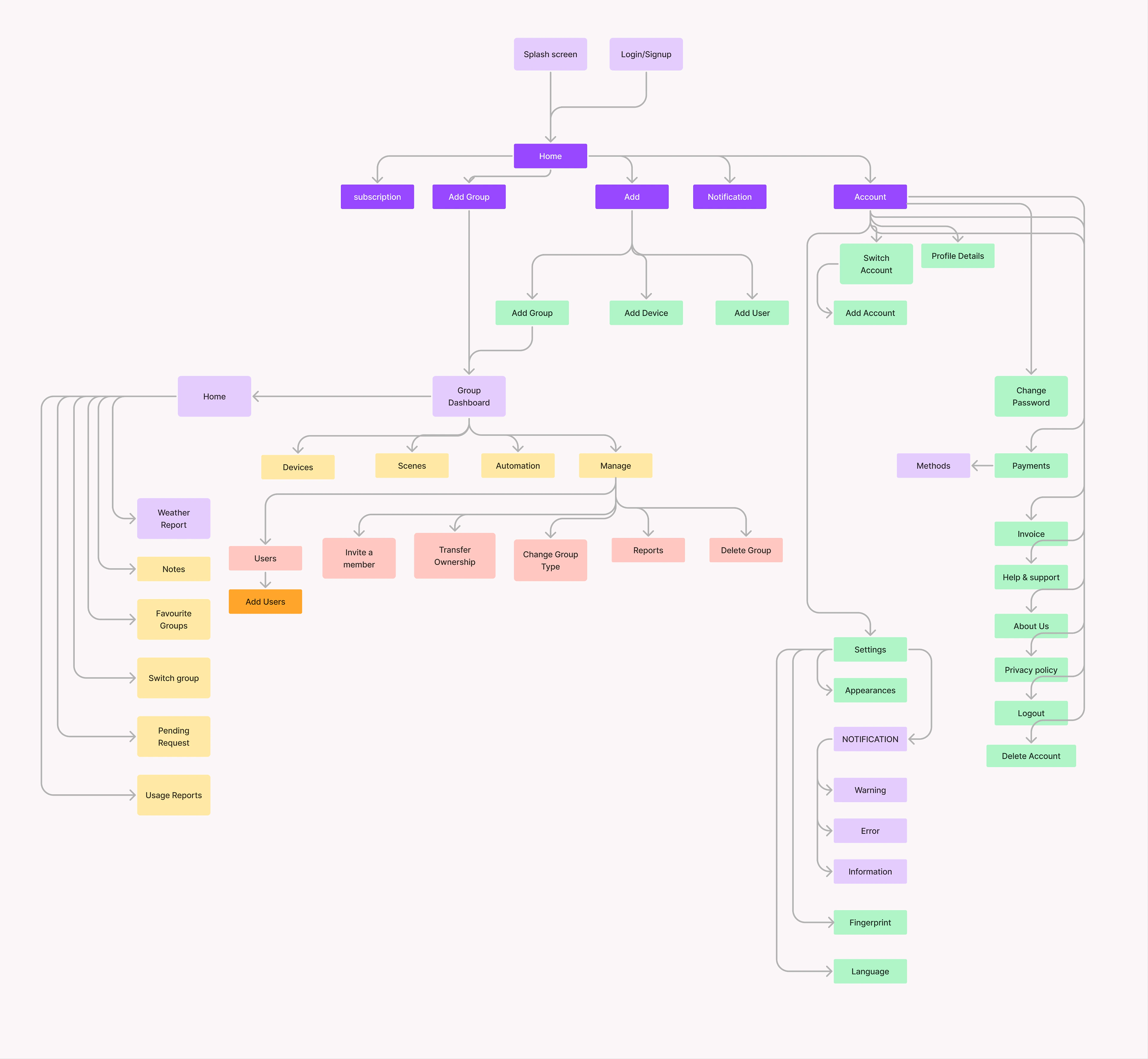
Complete End-to-End User Flow Diagram
Mapping Splash, Login/Signup, Home Hub, Group Dashboard (Devices, Scenes, Automation, Manage), Notifications, and Account Settings.
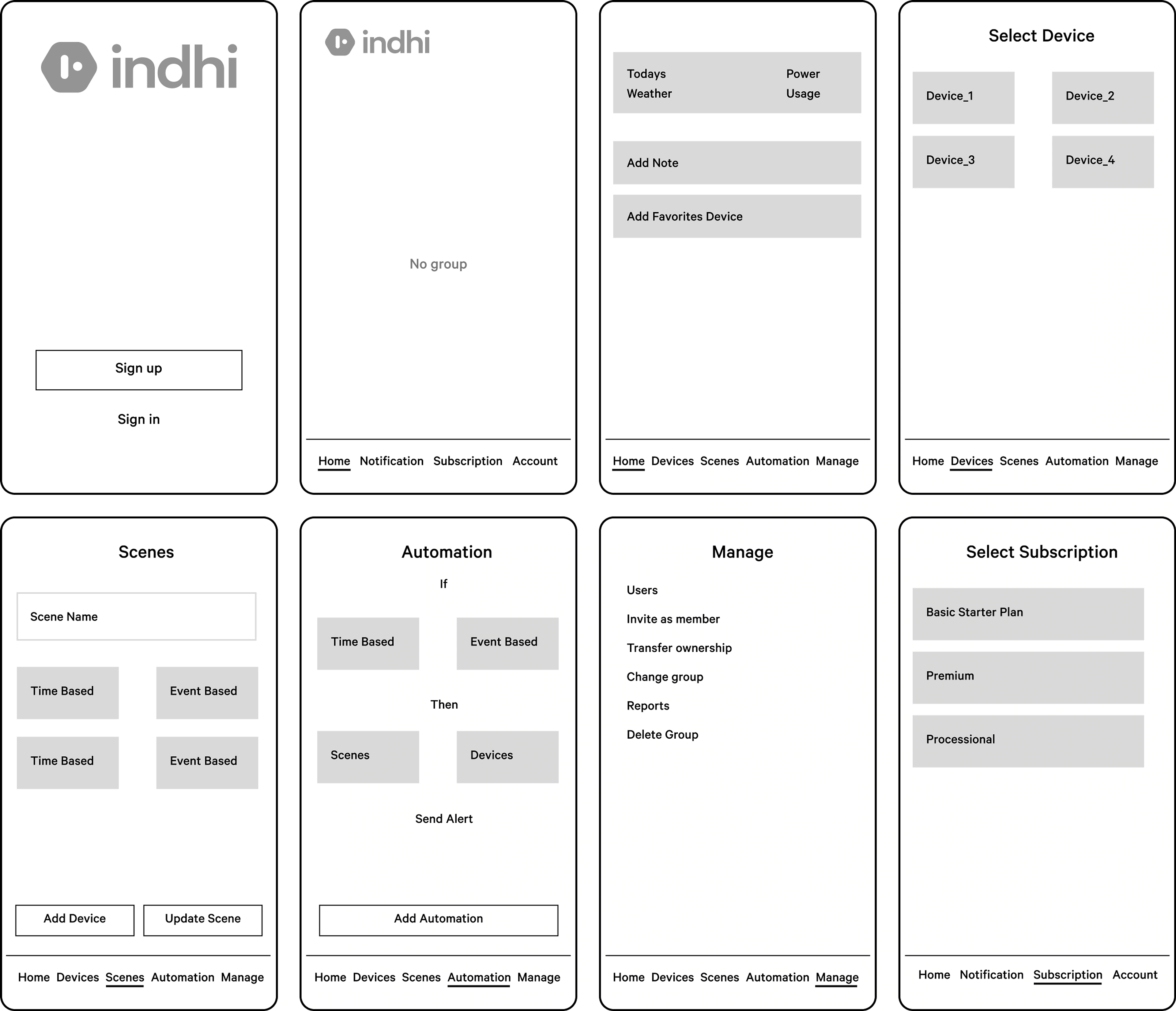
Validating Core Control Loops Before Visual Styling
8 structural wireframe blueprints covering Sign Up, Empty Group State, Weather & Power Usage Home, Select Device, Scene Composer, IF/THEN Automation, Group Manage, and Subscriptions.
CHAPTER 03 · HIGH-FIDELITY DESIGN
Core mobile workflows
Switch between the core mobile workflows below.
Verified Secured Onboarding with 2FA / OTP
Multi-factor authentication (2FA) using a 6-digit time-bound One-Time Password (OTP) protects physical locks, cameras, and high-load appliances.

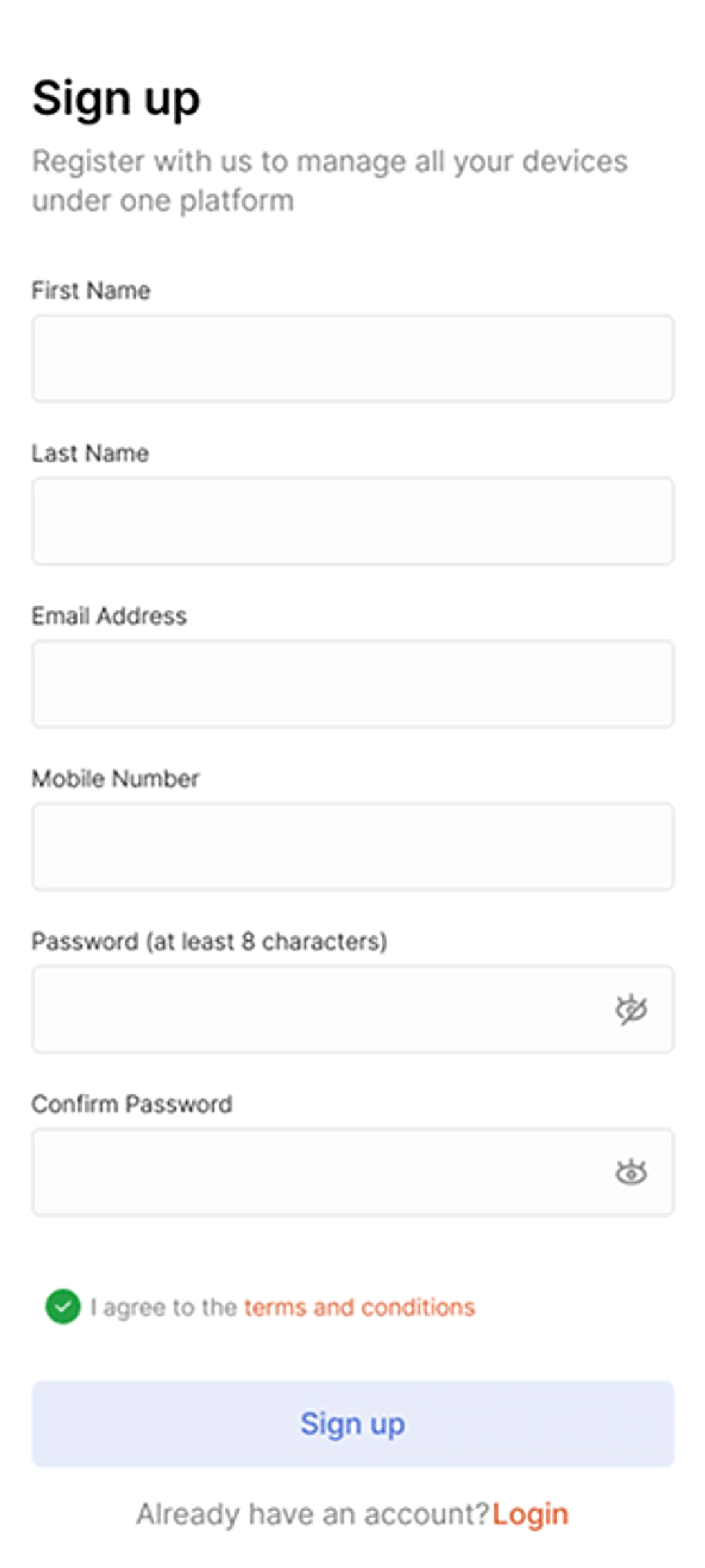

- Welcoming brand entry screen with direct Login vs. Sign Up paths.
- Clean registration form with inline password strength validation.
- 6-digit OTP verification matrix with live countdown timer (0:55).
CHAPTER 04 · DESIGN SYSTEM
Design System & UI Kit
Inspect the 7 tokenized specification boards below.
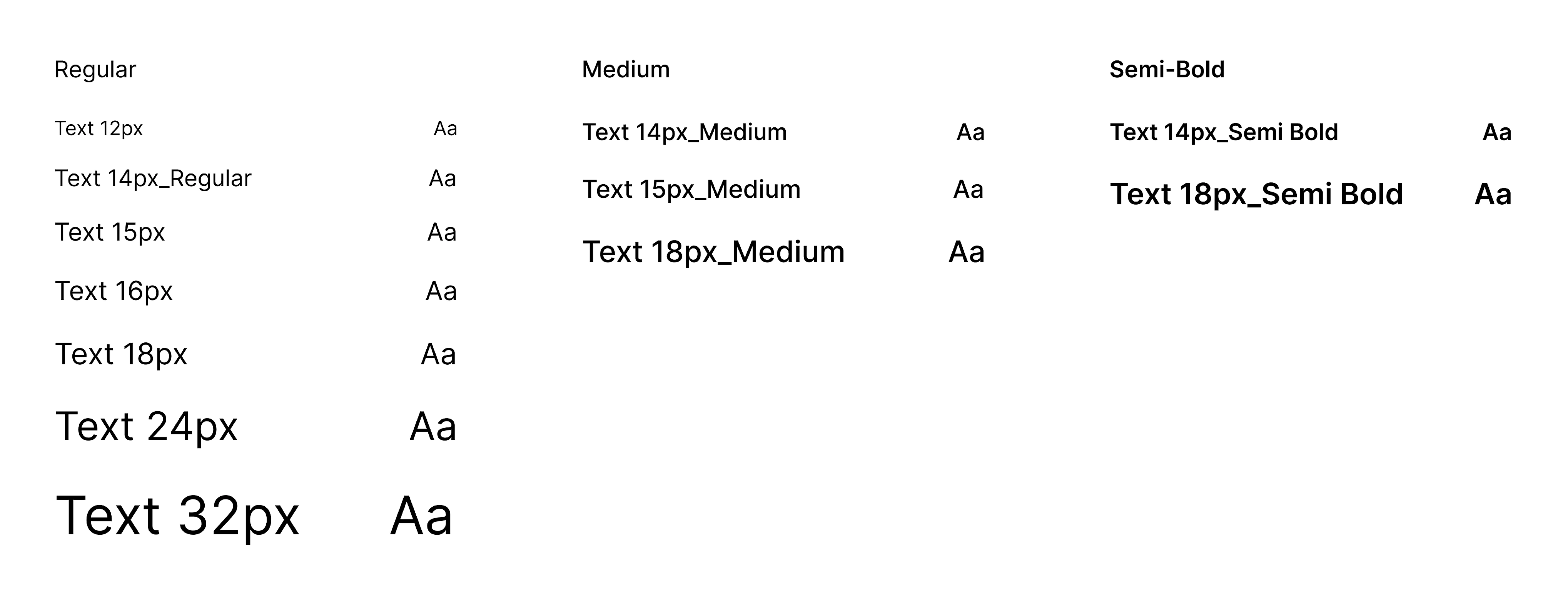
Inter Type Hierarchy (12px – 32px)
Legible geometric sans-serif scale across Regular (400), Medium (500), and Semi-Bold (600) weights engineered for glanceable mobile telemetry.
Project Learnings from Designing for Connected Hardware
Interdisciplinary Collaboration
Working closely with embedded firmware engineers taught us how to design graceful radar scanning and offline fallback states when physical relays take milliseconds to respond.
Context-Driven Spatial UX
Whether dimming bedroom lights at midnight or checking power usage away from home, separating Groups (Homes) from Categories (Rooms) matched users’ real-world mental models.
Continuous Adaptation
Building a modular, token-based Design System ensured that adding new device categories (like smart projectors or EV chargers) requires zero structural redesign.